
twevals serve:
How It Works
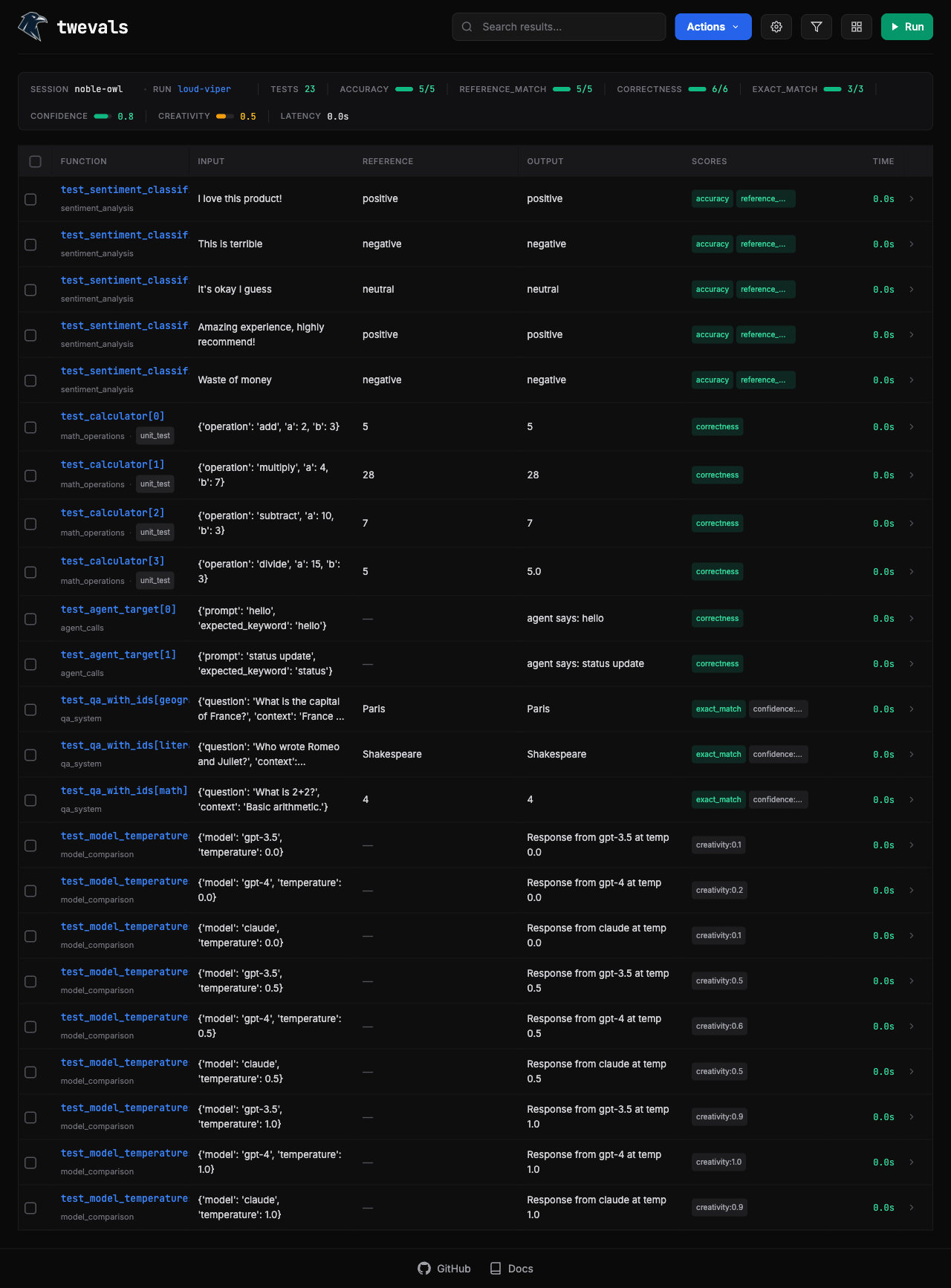
The UI discovers all@eval decorated functions in your file but doesn’t run them until you click Run. Results stream in real-time as each evaluation completes.
Results are saved to .twevals/runs/ as JSON files. The UI loads from latest.json by default, which is a copy of the most recent run.
Results Storage
Run Controls
- Run Selected: Check rows, then click play to rerun only those evaluations
- Run All: With nothing selected, click play to rerun everything
- Stop: Cancel pending and running evaluations mid-run
Detail Page
Click a function name to open the full-page detail view with its own URL (/runs/{run_id}/results/{index}). Navigate between results with arrow keys (↑/↓) or press Escape to return to the table.
Inline Editing
In the detail page, you can edit:- Dataset: Reassign to different dataset
- Labels: Add or remove labels
- Scores: Adjust scores or add new ones
- Annotations: Add notes for review
Keyboard Shortcuts
| Key | Action |
|---|---|
r | Refresh results |
e | Export menu |
f | Focus filter |
↑/↓ | Navigate results (detail page) |
Esc | Back to table |