
Twevals Hero Twevals is a lightweight, code-first evaluation framework for testing AI agents and LLM applications. Inspired by Pytest and LangSmith, Twevals lets you write evaluations like you write tests!

Version-Control

Aligned with your local env. Branch to experiment!

Pytest-Inspired

Use assert, parametrize, and simple decorators.

Full Flexibility

Use the same evaluator across a dataset or case-by-case

Agent-Friendly

Powerful and compact CLI and SDK for your coding agent to use

Install

uv add twevals --dev

Quick Example

Evaluating a simple sentiment analyzer against a ground truth dataset:
from twevals import eval, parametrize, EvalContext

@eval(
  input="I love this product!",  # Prompt
  reference="positive"           # Ground Truth
  dataset="sentiment"            # Label for filtering
)
async def test_sentiment_analysis(ctx: EvalContext):
    # Run test and store output in context
    ctx.add_output(await analyze_sentiment(ctx.input))

    # Evaluate!
    assert ctx.output == ctx.reference, f"Expected {ctx.reference}, got {ctx.output}"
Or use @parametrize to apply eval to a dataset:
@eval(dataset="sentiment")
@parametrize("input,reference", [
    ("I love this product!", "positive"),
    ("This is terrible", "negative"),
    ("It's okay I guess", "neutral"),
])
async def test_sentiment_batch(ctx: EvalContext):
    # Parametrized data is injected into the ctx
    ctx.add_output(await analyze_sentiment(ctx.input))

    assert ctx.output == ctx.reference, f"Expected {ctx.reference}, got {ctx.output}"
Start the web UI to run evals and review results:
twevals serve sentiment_evals.py

# Or run all in a dir
twevals serve evals/

Web UI

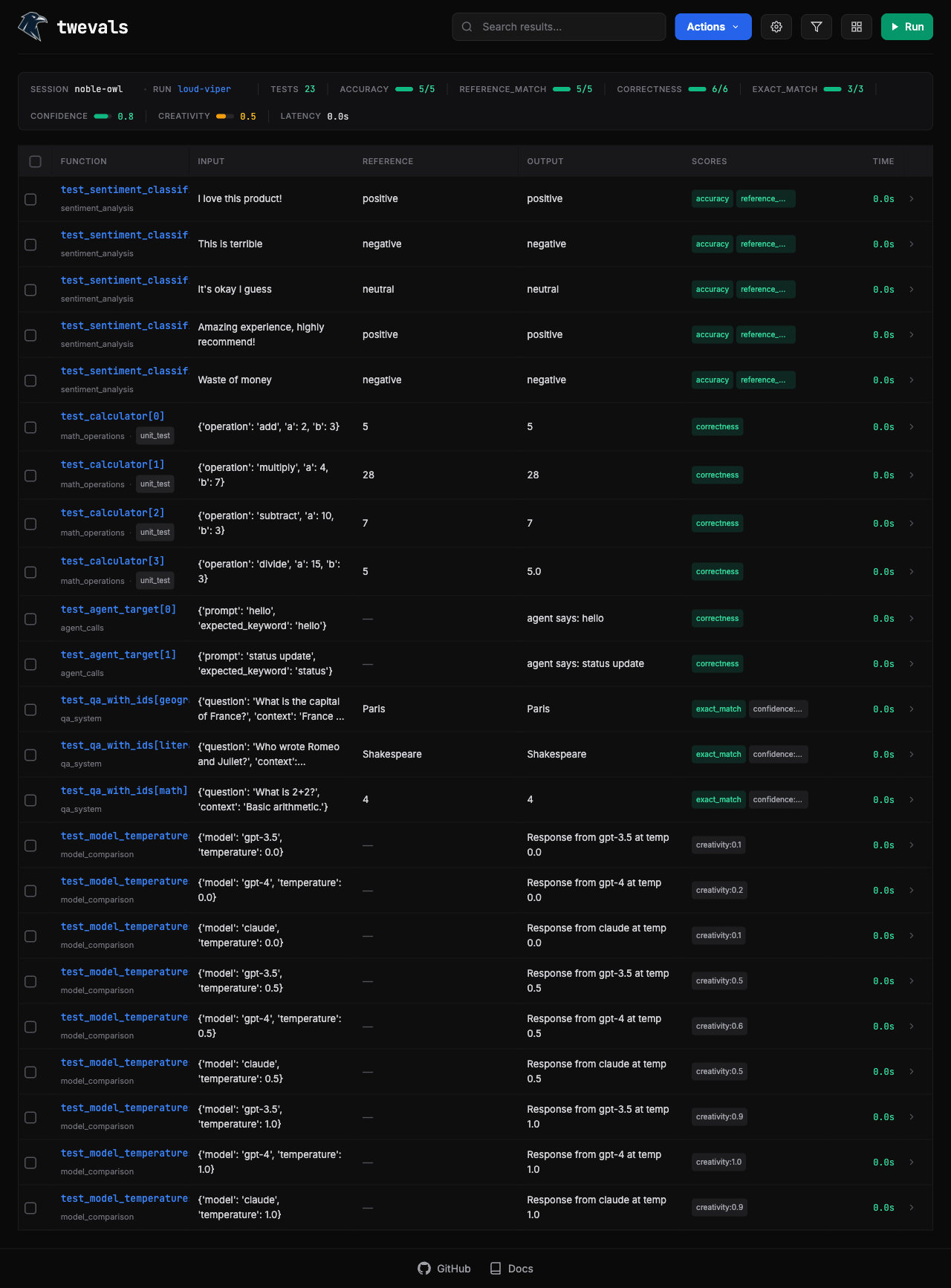
Twevals spins up a local Web UI that makes it easy to filter, run, and rerun evals. Do deep analysis on the results Twevals Web UI All results are stored locally in a .json file for further analysis.
Agent Mode

The CLI and SDK make it easy for your coding agent to run, analyze, and iterate on the evals!
Can you run test_sentiment_batch evals and tell me why the scores are so low?
Your coding agent would run:
twevals run sentiment_evals.py::test_sentiment_batch --session sentiment-failed-results

// Eval results saved to ./twevals/cool-cloud-2025.json
The agent could review the json results before presenting a solution to you. It could even implement that solution and rerun the evals to compare before and after!

Existing eval frameworks are frustrating:

Too Opinionated

One function per dataset, rigid patterns. No way to run different logic per test case.

Cloud-Based

Datasets in the cloud. No version control. Code and data live in different places.

UI-Based

Your coding agent can’t run evals, analyze results, or iterate on datasets.
Pytest isn’t the answer either. Tests are pass/fail—evals are for analysis. You want to see all results, latency, cost, comparisons over time. Pytest doesn’t do that. Twevals is different: minimal, flexible, agent-friendly. Everything lives locally as code and JSON.

Ready to start?

Follow our quickstart guide to set up Twevals in under 5 minutes.