Your First Evaluation

Create a file called evals.py:

Target function

The target function represents the thing you are evaluating. If you are evaluating an agent, your target function would run the agent and return the results. If you are evaluating a single LLM call, the target would just invoke the LLM and return those results. Using a target function function comes with the added benefits of:
  • Latency Tracking - Target function latency will be tracked separately from evaluation latency and is handled automatically
  • Reusability - Write one target function and reuse it across many evals
  • Prepopulates Context - Useful for injecting data into the context (similar to beforeEach)
from twevals import eval, EvalContext

async def my_agent_target(ctx: EvalContext):
    # Run your agent using your own custom logic.
    # Use the injected `input` from the evals.
    agent_results = run_agent(ctx.input)

    # Inject output into context
    ctx.add_output(agent_results["content"])

    # You can also inject anything you might need in other tests
    # For example, we can inject the RAG search results for future RAG evals
    ctx.my_rag_search_results = agent_results["documents"]
Now that we have a universal target function, we can point our evals at it:
@eval(
  input="Hello, how are you?",
  target=my_agent_target
)
async def test_greeting(ctx: EvalContext):
    """Evaluate the agent's greeting ability"""

    # ctx is already populated so we can just focus on evaluation logic
    # Use assertions to score - just like pytest!
    assert "hello" in ctx.output.lower(), "Response should contain a greeting"
That’s it! Assertions work like pytest - if they all pass, your eval passes. If they fail, the assertion message becomes the failure reason. Non-assertion errors are caught as errors.

Run Your Evaluations

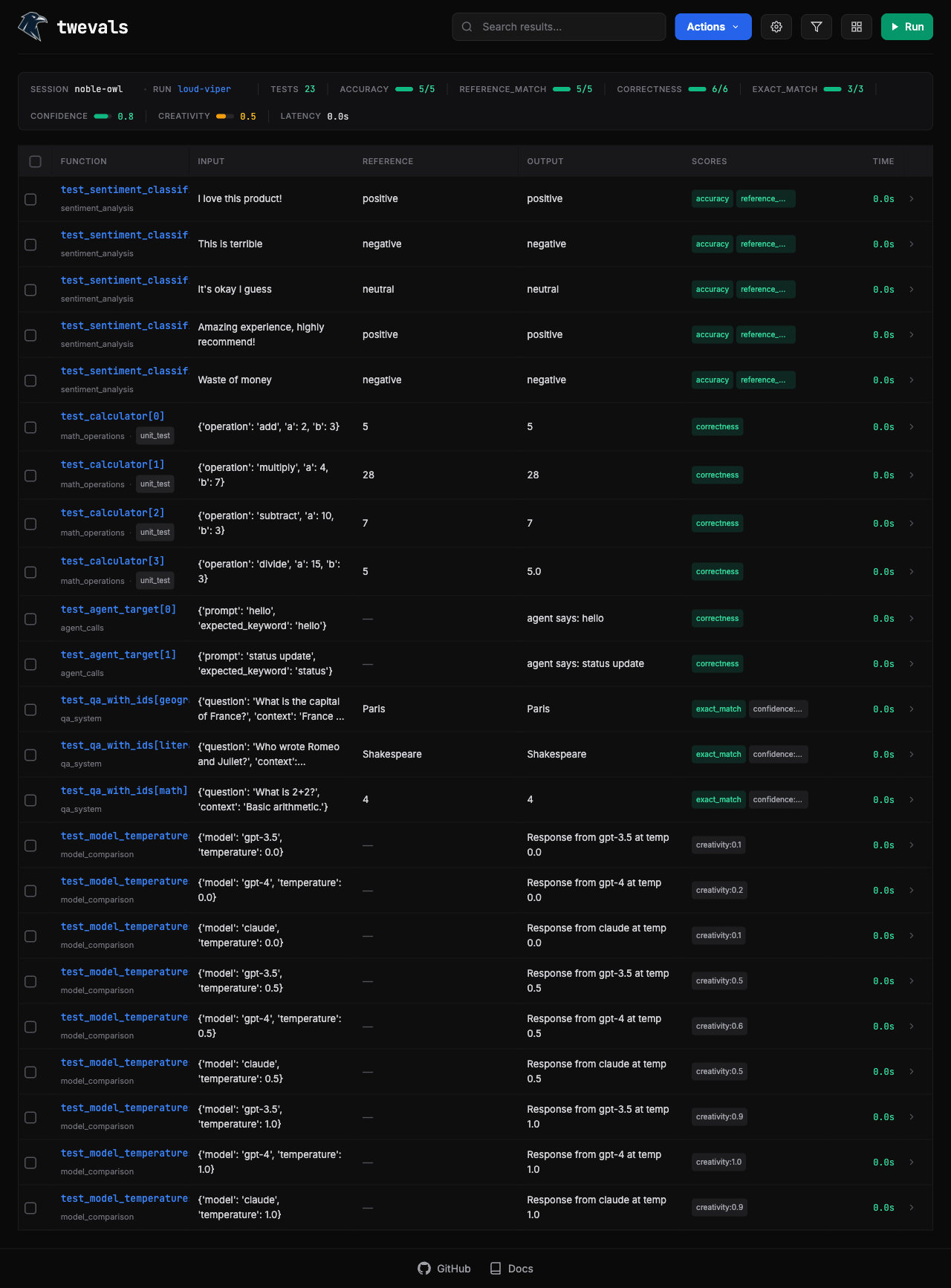
Start the web UI to run evals and review results:
twevals serve evals.py
This opens a browser at http://127.0.0.1:8000 where you can:
  • Run, filter, and rerun specific evals
  • Review eval results for analysis
  • Annotate results inline
  • Export results to JSON or CSV
Twevals Web UI

Agent Mode

When coding agent needs to run evals programmatically, use run:
twevals run evals.py
This outputs compact results to stdout—perfect for when an AI agent needs to parse results. Terminal output showing eval results

Add More Test Cases

Use @parametrize to generate multiple evaluations from one function:
from twevals import eval, parametrize, EvalContext

@eval(
  dataset="greetings", 
  labels=["production"],
  target=run_tone_agent
)
@parametrize("input,reference", [
    ("Hello!", "friendly"),
    ("I need help urgently", "helpful"),
    ("What's your return policy?", "informative"),
])
async def test_response_tone(ctx: EvalContext):
    assert ctx.output == ctx.reference, f"Expected {ctx.reference} tone, got {ctx.output}"
Special parameter names (input, reference, metadata, run_data, latency) auto-populate context fields. For other parameters, include them in the function signature.

Track Progress with Sessions

Use sessions to group related runs together—useful for comparing models, tracking iterations, or A/B testing:
# Name your session and run
twevals serve evals.py --session model-upgrade --run-name baseline

# Continue the session with another run
twevals serve evals.py --session model-upgrade --run-name after-tuning
Results are saved to .twevals/runs/ with session metadata, so you can compare runs over time.

Configuration with twevals.json

Create a twevals.json in your project root to set defaults:
{
  "concurrency": 4,
  "results_dir": ".twevals/runs"
}
This saves you from passing the same flags repeatedly.

Filter and Run Specific Tests

# Run a specific function
twevals serve evals.py::test_greeting

# Filter by dataset
twevals serve evals.py --dataset greetings

# Filter by labels
twevals serve evals.py --label production

# Run with concurrency
twevals serve evals.py --concurrency 4

Next Steps